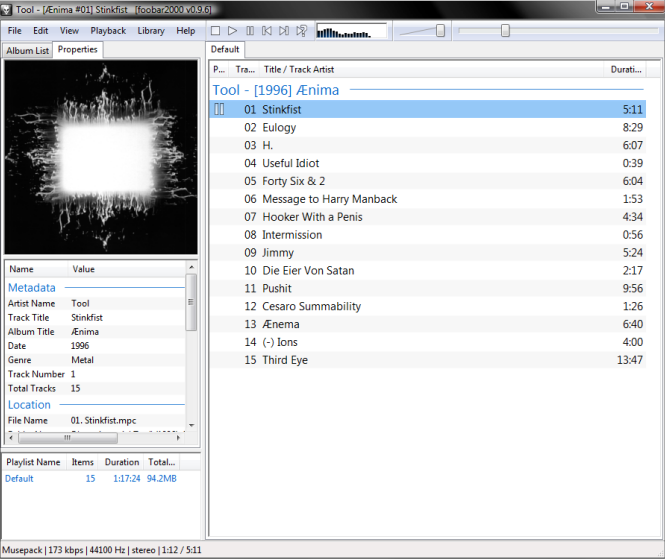
Foobar2000 is a flexible and convenient media player that has been designed to replace iTunes for playing music. It supports a number of audio formats and can be customized according to your needs and preferences. You can set up this software quickly if you are experienced with media players and then use it in any way you see fit to manage your iDevice music library. Foobar2000 is compatible with all iOS devices.
Pros
Many audio formats are supported including MP3, SND, AU, Speex, Musepack, AIFF, WAV, WavPack, FLAC, Opus, WMA, and CD Audio. Additional plugins can be installed to add support for even more formats
Advanced tagging capabilities
Gapless playback
You can rip Audio CDs easily with this software. Furthermore, you can use the Converter component of the software to transcode all supported audio formats
A lot of options are available to customize the software
Customizable keyboard shortcuts
Adjust music volume automatically via ReplayGain feature
Features and functionality of the Foobar2000 can be extended with extensions and plug-ins
Cons
The default look of the software is dull and not very appealing
Foobar2000 has a user interface which is not easy for beginners. Setting this software up can be a challenge for inexperienced users
Second iTunes Replacement - PhoneTrans
PhoneTrans is another iTunes Replacement which is free to download and install. Designed by iMobie, the main purpose of this software is to help users easily transfer media files between their iDevice and computer. PhoneTrans has a simple and straightforward user interface. Although this software does not replicate all iTunes’ features, it is still a good alternative when it comes to managing iDevice files.
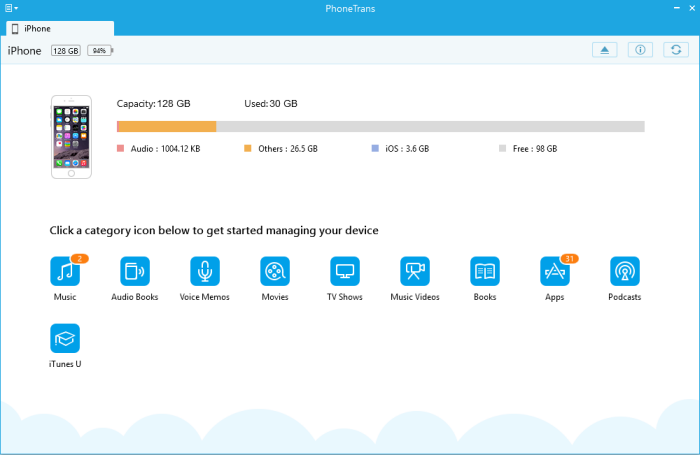
When it comes to transferring music, books, videos, TV shows, and even games and apps, PhoneTrans gives you full control. You can use this software to back up your iPhone’s data, documents, and apps without jailbreaking the device. Furthermore, it also allows you to transfer backup data to another iDevice. While full iDevice backup is not allowed, this software is very good when it comes to backing up iTunes library and data of certain apps.
Pros
Two-way transfer, allowing you to transfer files between your iDevice and computer
Supports drag and drop method to transfer files
Quickly import/export music to and from iDevice
No need to sync via iTunes when you are managing iPhone files via PhoneTrans
Transfer all your iPhone music to computer via a single click
Better search experience thanks to Smart Filter
All iPhone, iPod, and iPad models are supported
Free of Cost
Cons
You cannot play music files on PhoneTrans.
The software crashes sometimes when transferring files.
Other unknown bugs may occur when transferring data between iDevice and computer If you accidentally deleted or lost videos on iPhone, first please check on the Recently Deleted folder. Alternatively, you can use the professional tool Gihosoft iPhone Recovery to recover deleted iPhone videos from Camera Roll or some apps.


Ei kommentteja:
Lähetä kommentti